The Elgato 4K X and AVerMedia Live Gamer ULTRA 2.1 (GC553G2) are external HDMI 2.1 capture cards. Both can sit in a high-refresh console or PC display chain, and both need a 10Gbps USB connection for their most demanding recording modes. The choice is less about the “4K144” label on the box than about which mode your software can record, your computer’s USB capability and how you route audio.
| Elgato 4K X | AVerMedia GC553G2 | |
|---|---|---|
| HDMI path | HDMI 2.1 in and out | HDMI 2.1 in and out |
| Maximum passthrough | Up to 4K144 with VRR | Up to 4K144 HDR/VRR |
| USB link | USB 3.2 Gen 2, 10Gbps | USB 3.2 Gen 2, 10Gbps |
| Recording headline | Up to 4K144 SDR; 4K30 HDR | 4K60 standard mode; up to 4K144 via current Windows Streaming Center |
| Audio connection | 3.5 mm stereo line input | 4-pole 3.5 mm headset/gamepad connections |
Elgato gives a detailed map of capture formats
The 4K X technical page lists 4K144 and other high-refresh passthrough modes with VRR. Its resolution matrix is particularly useful because it pairs each HDMI input mode with recording formats. It shows that some signals can pass to the display without being captured at the same format. It also marks which modes record SDR or HDR. For example, the 4K144 capture headline is an SDR mode; HDR capture has lower ceilings, including 4K30.
Elgato lists OBS on Windows and macOS as supported software. The card comes with a USB-C cable and one HDMI cable. Its 3.5 mm port is a stereo line input, which is a different audio arrangement from AVerMedia’s headset/gamepad connection. If your existing setup already sends clean audio over HDMI, the port distinction may not affect you. If you need party chat or an analogue feed, look at the exact cable path before ordering.
Elgato 4K X
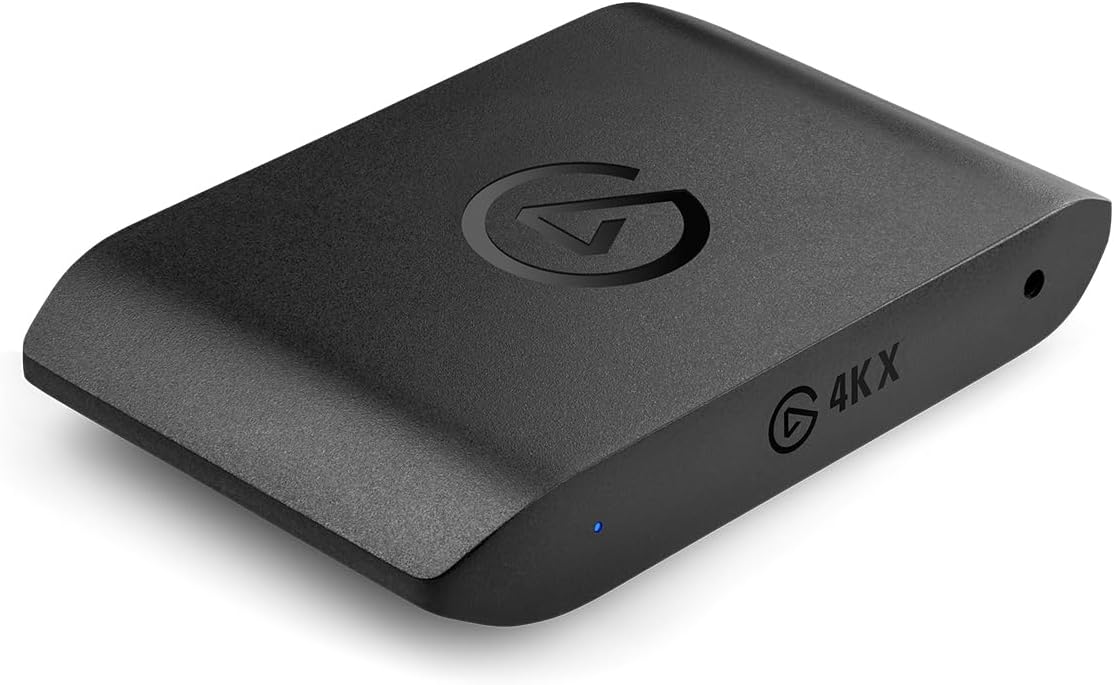
Capture: Up to 4K144 SDR; 4K30 HDR
Passthrough: Up to 4K144 with VRR
Connection: USB 3.2 Gen 2 (10Gbps)
AVerMedia’s highest mode depends on its software
AVerMedia’s GC553G2 product page lists 4K144 HDR/VRR passthrough and a 10Gbps USB interface. Its original manual describes 4K60 recording, while the current product page says a newer firmware/software combination can capture up to 4K144 through AVerMedia Streaming Center on Windows. The same current page describes up to 4K60 capture with OBS on Mac. Those statements are not interchangeable: a high-frame-rate Windows mode in one app should not be read as a universal OBS mode on every operating system.
The GC553G2 includes an HDMI 2.1 cable, a USB-C cable and a 4-pole 3.5 mm audio cable according to the manual. Its physical audio connections are designed around headset and gamepad routing. That could matter to a console streamer trying to include voice chat without a separate audio device. It is worth checking AVerMedia’s connection diagram for your console and headset because party-chat behaviour varies by source and settings.
AVerMedia Live Gamer ULTRA 2.1 (GC553G2)
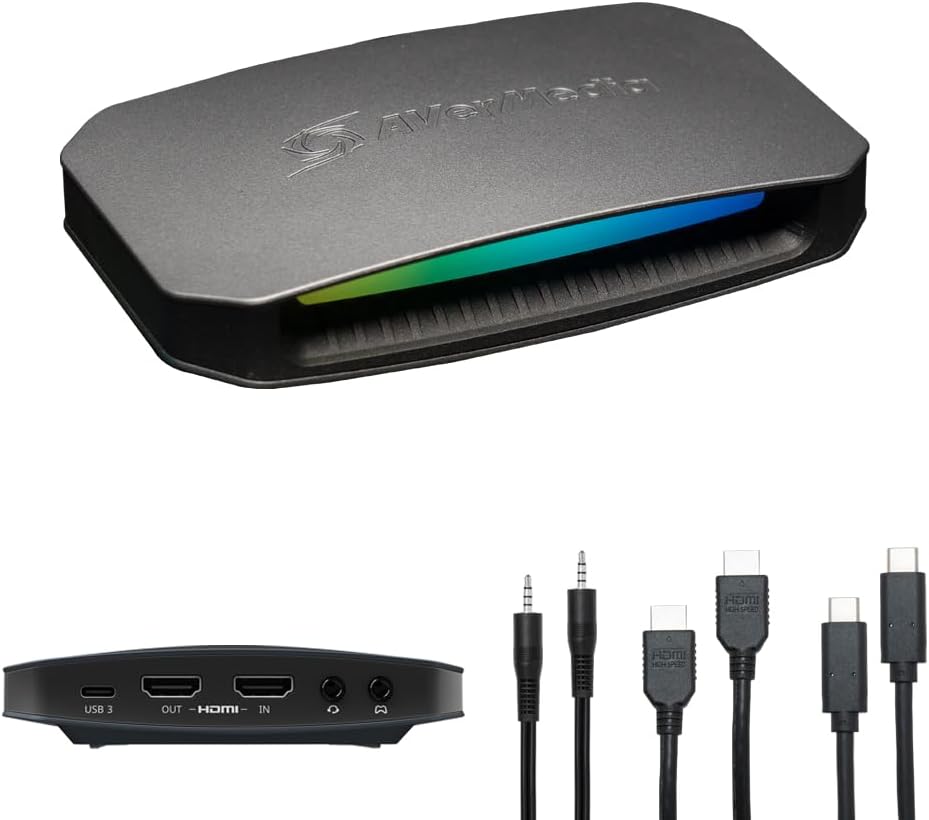
Capture: Up to 4K144 with supported Windows software; 4K60 standard mode
Passthrough: Up to 4K144 HDR/VRR
Connection: USB 3.2 Gen 2 (10Gbps)
What to verify before either purchase
Check the monitor’s input format and whether VRR or HDR must remain active in passthrough. Then check the computer’s USB port: a USB-C plug alone does not establish 10Gbps support. Finally, look up the recording mode in the manufacturer’s current software and resolution documentation. For 4K144 capture specifically, that last step is essential; the display may accept a high-refresh signal even when the recording application cannot save it in the same format.
The Elgato is easier to assess through its published input/capture matrix, especially if you use OBS across Windows and Mac. The AVerMedia is attractive if its updated Windows Streaming Center modes or headset/gamepad audio arrangement fit the workflow. For a 4K60 television and 1080p60 stream, both cards exceed what is needed; the HD60 X comparison covers a less demanding route.